

Animal Crossing: New Horizons 3.0 brought excitement, creativity, and a flood of new design possibilities. With so many stylish ACNH items and customization features, players constantly look for better ways to use custom design slots. This ACNH 3.0 custom design slot guide explains how to manage custom design slots properly, reuse slots efficiently, get more slots, stop overwriting designs every time you build, and when to use a second resident for extra slots.
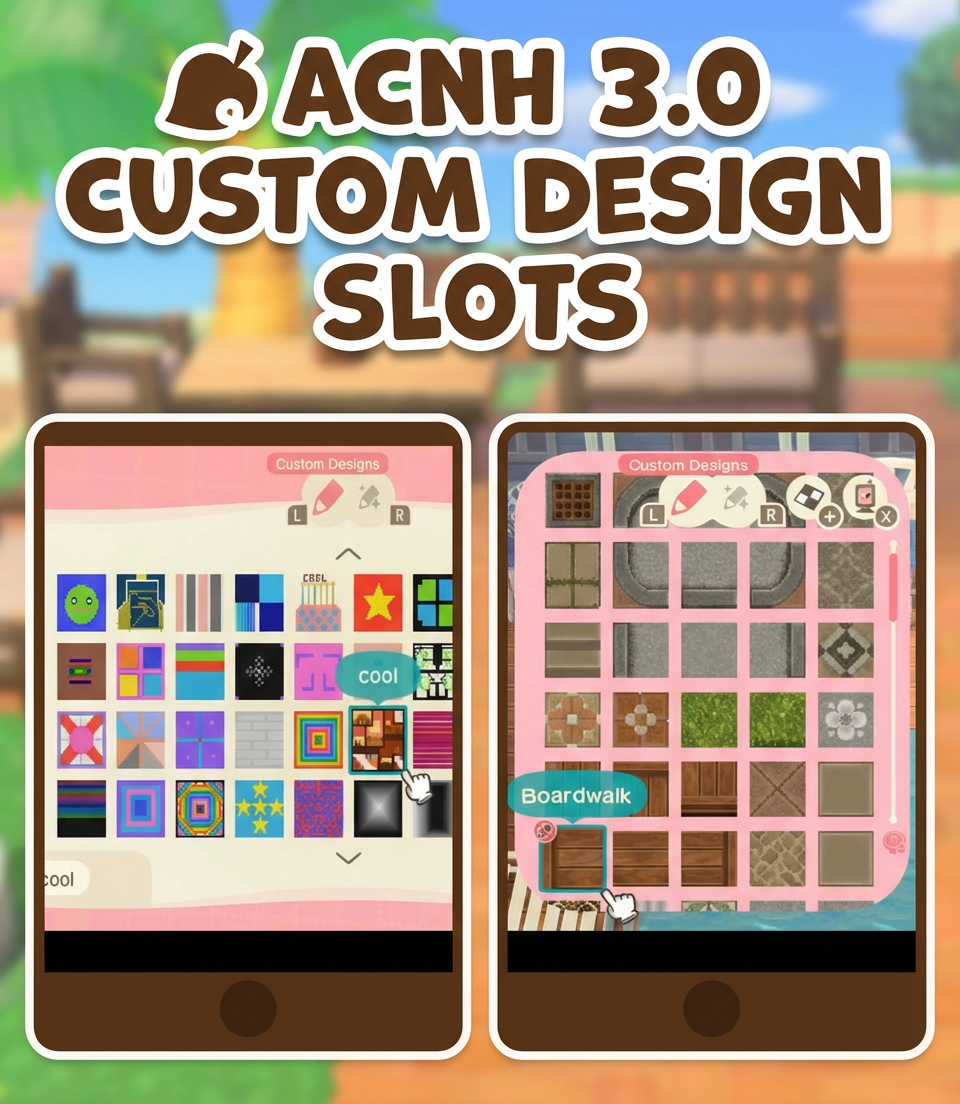
ACNH 3.0 Custom Design Slots Guide
Custom design slots allow players to store personal or downloaded patterns for use as paths, floorings, furniture textures, signs, and more. In the 3.0 update, these slots remain as vital as ever, but it is easy for your inventory to feel cramped or overwhelming. Understanding how these slots work helps you get started with efficient organization and thoughtful design.
Before you begin re-downloading every pretty code you see, it’s necessary to know how many slots you get, how to expand them, and how to make each slot count.
How Many Custom Design Slots Are There?
After the 3.0 update and all available upgrades in Animal Crossing: New Horizons, players receive a total of 100 custom design slots and 100 pro design slots (for clothing, umbrellas, and standees). This might seem like plenty, but when you’re adding detailed path sets or experimenting with décor themes, those slots vanish quickly.
It’s also important to note that while you can upload far more designs to the portal, your in-game Nook Phone design app has a practical limit of 100 custom designs and 100 pro designs that you can actually use on your island.
How To Get 200 Custom Design Slots in ACNH?
Some players wonder about reaching 200 slots, but the real breakdown is 100 basic custom design slots and 100 pro slots, giving the illusion of 200. You cannot increase these numbers beyond what Nintendo provided. If you notice others showcasing “200” slots, they’re likely referring to the split between both categories, or to the much larger number you can upload to the portal for sharing, not personal use at once.
For more slots tied directly to your own island, one option is to add a second resident (via another Nintendo profile) which gives that character their own set of slots. This doubles your island’s storage, but also introduces more steps, like logging in and out and tracking which profile owns which design.
How To Manage & Reuse Custom Design Slots Properly & Efficiently
Smart slot management changes the way your island looks and feels—often more than simply adding new code after code. Here’s a practical approach:
Simplifying Multi-Slot Paths
Custom paths are notorious for consuming space, especially ornate designs that use up to 10 slots or more for details like curves and corners. Instead of storing every unique piece, keep the main repeatable tile, a single step or corner, and one detailed accent variation. This method lets you mimic complex effects with only three or four slots, freeing up plenty of space for other uses.
Rethinking Multi-Slot Windows & Doors
While multi-tile windows and doors seem appealing, a single smart tile can work for almost every build. For windows, a one-square pattern with a clean edge can be repeated to suit different wall sizes, and a simple curtain in a few colors creates layered visuals without extra slots. Likewise, doors often only require one design per style, with the handle near the edge to be reused as needed.
Fabrics, Tiles & Textures as Versatile Assets
Focus on a few high-quality textile patterns in different styles for both interiors and exteriors. Adding a reusable fringe design turns a basic rug tile into several looks. The same textile can become a curtain, a bedspread, or a pillow with just a little creativity. Good tile designs, too, can function as flooring, wallpaper, and even be wrapped around multiple furniture items, creating visual consistency across your builds.
One Slot Pools & Water Features
Don’t overload your slots with several water tiles. Often, one nice water texture repeated creates the illusion of a full pond, pool, or river; add a simple bordered path around the water for a finished look.
Use What the Game Already Offers
There’s little need to store custom designs for whole objects that Animal Crossing already gives you: bookshelves, kitchen shelves, and miscellaneous decorations already exist in-game. Save your custom slots for surfaces and details that won’t look repetitive on multiple builds, instead of one-off objects that rarely get reused.
Use One Design Across Floors, Walls, and Furniture
A single well-chosen tile pattern doubles as a floor, wall accent, and furniture wrap. By reusing it broadly, you keep the island’s look cohesive and reduce clutter in your custom design library.
Sable’s Patterns: The Slot-Free Secret
If you chat with Sable daily at Able Sisters, she gradually opens up a collection of patterns—plaids, stripes, florals, textures. These don’t use any custom slot space, but they can be applied to beds, cushions, tablecloths, stalls, panels, and soft furniture. Sable’s patterns are expertly made, color-matched, and work perfectly for cozy builds, essentially giving you a powerful extra library with zero slot cost.
How To Stop Overwriting Designs?
Avoiding the urge to constantly overwrite old designs is all about keeping a “core” set of must-use patterns for your go-to styles: a row or two for paths, a few textile staples, one or two door and window designs, and a couple of versatile extras for rugs and signs. This adds up to about 25 essential designs. Start with this base, and replace only when you are certain the new design will be used repeatedly across your island, not just for a single build.
A helpful tip is to regularly review your saved designs. If you haven’t used a design in a month, consider removing it, your gameplay and island aesthetics will feel more organized immediately.
When Using a Second Resident for Extra Slots: Pros and Cons
Adding a second resident can double your available slots, as each profile gets its own set of custom and pro designs. However, this method is only helpful if you already have a working, organized system for one character. Switching users and managing two separate sets of slots can lead to confusion and inefficiency, especially if you already struggle with too much clutter.
If you frequently redesign or need dedicated slots for unique areas/spaces, a second resident helps. But, if you haven’t developed a method for tracking designs and keeping them tidy, more slots can make things harder, not easier.